
Save the Customer App to your home screen
Edited
iPhone
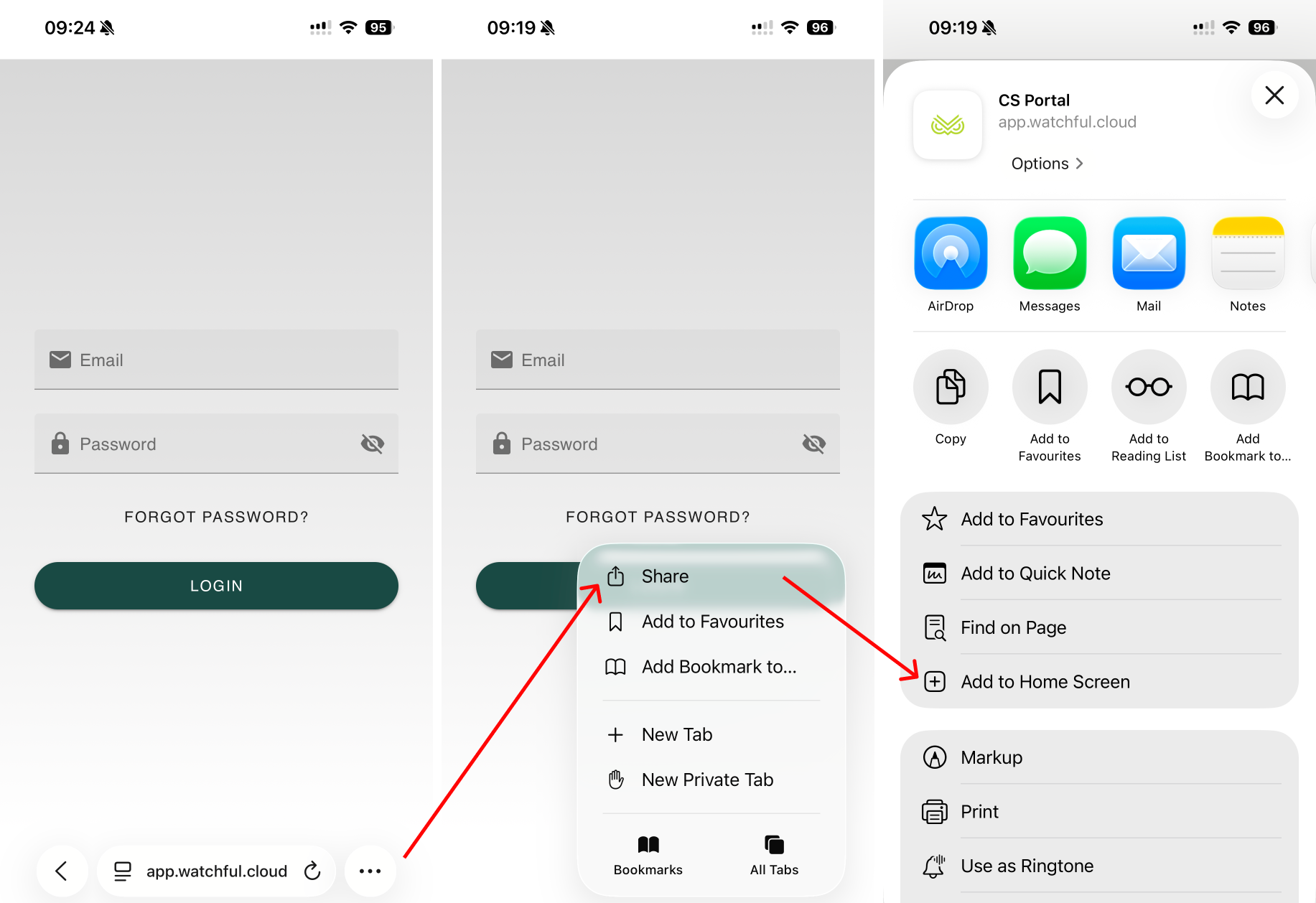
While viewing https://app.watchful.cloud in Safari, tap the three-dot menu, and tap the Share icon.
Scroll down and tap Add to Home Screen.
If you don’t see this option, tap Edit Actions, then enable Add to Home Screen.
The Watchful icon will appear on your Home Screen. It will only be visible on this device.
Android
To add the Watchful app to your Home Screen from Google Chrome:
Open Chrome and go to https://app.watchful.cloud.
Tap the three dots in the top-right corner of your screen.
Select Add to Home screen.
• If the website has an app in the Play Store, you may see Install app instead.
Tap Add to place the shortcut on your Home Screen.
You can now access the Watchful Customer App directly from your mobile device’s Home Screen.
Related Articles
Was this article helpful?
Sorry about that! Care to tell us more?