
Watchful Glossary Overview
The following glossary is organised according to the left-hand toolbar of the Watchful Platform, as seen below.
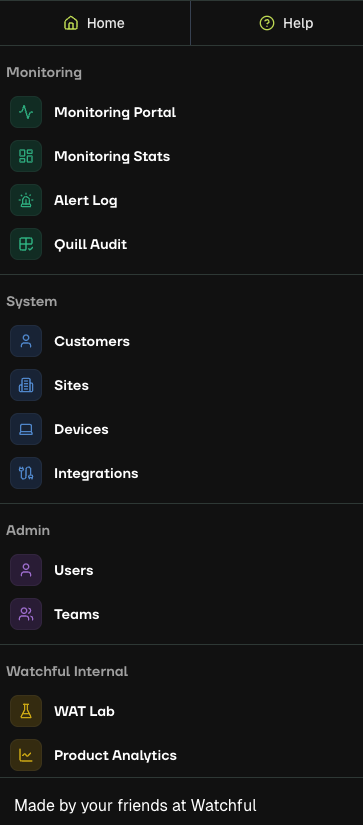
Select a section below to learn more.
Platform Navigation
Overview of the Admin Portal home screen and navigation features.
Access the Knowledge Base and submit tickets.
Monitoring
Agent workspace for viewing and managing alerts.
Company and agent performance summaries.
Filtering, reviewing, and auditing alerts.
Auditing Quill’s performance on alerts.
System
Manage customers and linked sites and devices.
Structure, settings, and configuration for customer locations.
Cameras, NVRs, or VMS devices connected to sites.
Manage third-party service connections.
Admin
View and manage users who have access to the Watchful Platform.
Monitoring teams and role assignments.
Tip
For a full alphabetical list of key terms (A–Z), visit the Glossary Index.